TM1 cub binary format explained

A TM1 cube (.cub) stores the cells of a cube, each addressed by one element per dimension. The data is saved on drives in a binary format, little-endian. A cube's dimensions live in separate .dim files, see the companion article https://www.bihints.com/tm1-dim-binary-format-explained on the dim format.

The article below explains how the TM1 cub format is structured.
TM1 dim binary format explained

TM1 data directories contain all the files holding the data and metadata of the database. TM1 pro, rux, sub, and vue files are plain text, human readable with line codes referenced in the TM1 java doc section.

dim and cub files are the core of the TM1 data and metadata, but these files are using binary formats.

This article lifts the veil on the dim file format.

PAW UI Tweaks

Planning Analytics Workspace (PAW) has some slightly UI annoyances that can be easily ironed out with some local javascript code.

For example, saving a process will generate a popup "process saved successfully" while hiding the "Run" button. So you are forced to wait that the popup disappears to be able to run that process, or aim for the tiny cross on that popup to close it, then aim again for the Run button.

WebSphere Liberty Profile SSL configuration for TM1Web

TL;DR Skip directly to the bottom of the article to find out the fastest and most secure SSL configuration for WLP/TM1Web. Otherwise, read on to understand the how and the why. 

TM1Web also known as "Planning Analytics Spreadsheet Services" is a web app serving websheets through the IBM WebSphere Liberty Profile webserver currently operating under Java Running Environment 1.8.0. 

tm1s.cfg parameters cheatsheet

The number of parameters in the tm1s.cfg has been steadily rising as more features have been made available over the years in TM1. So, a cheatsheet summarising all these parameters can help as an overview of the different settings that a TM1 server can be configured with.

This cheatsheet is now available in the following formats:

Pimp my PAW

PAW mdx view block

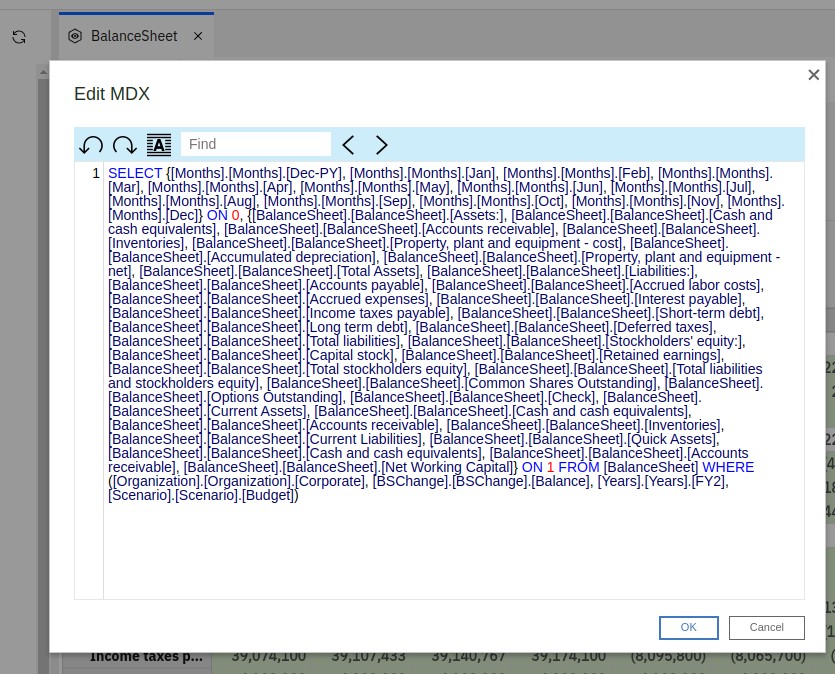
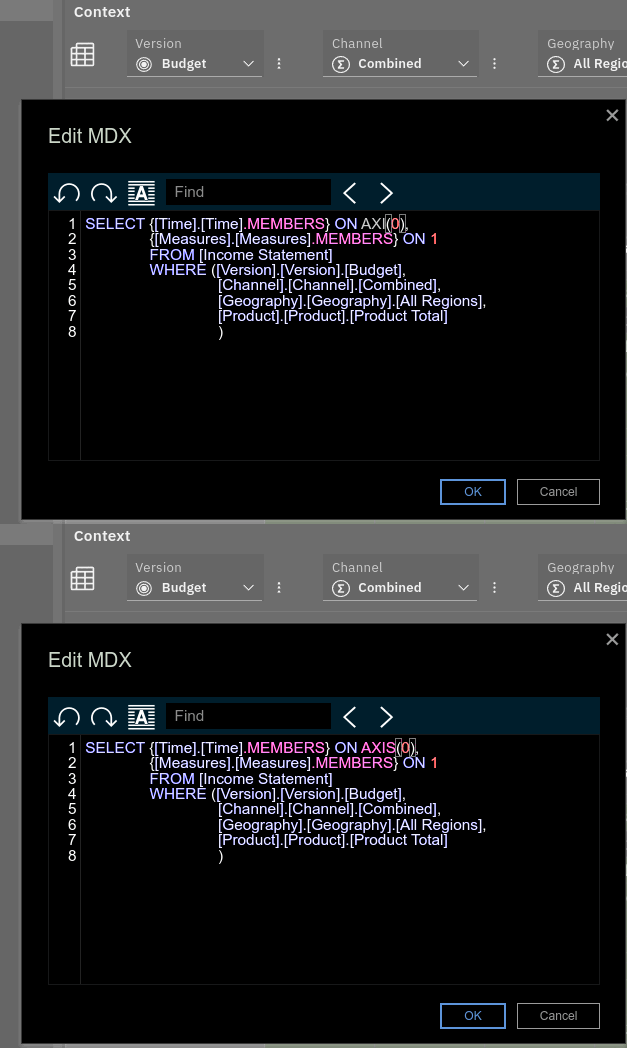
I'm in the PAW Workbench, I open a view and I click on the "Edit MDX" button. I get a packed MDX block, with no indentation whatsoever, pretty hard to read. If only there was an option to format that MDX block to something much easier to read.....

 **RING** **RING** Oh, I'm sorry, I must interrupt this blogpost, someone is at the door.

Please hold on.